
📋 Table of Contents
Free Printable To Do List PDF: Daily, Weekly & Yearly Planner
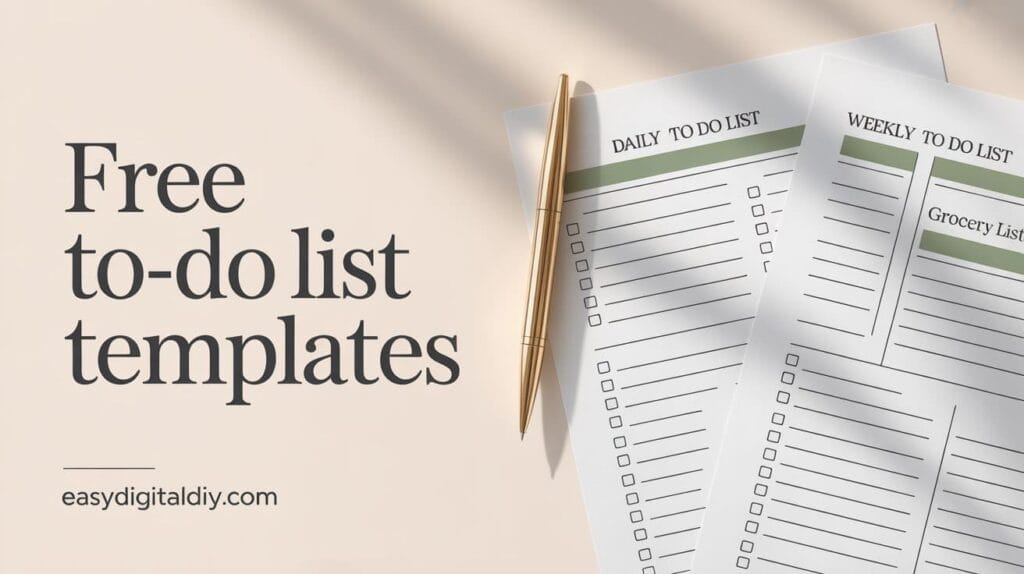
I created this free printable to do list because I was drowning in scattered sticky notes, random phone reminders, and half-finished task lists scattered across my desk. As a designer managing multiple projects, client deadlines, and personal errands, I needed a system that actually matched how I think and plan my days. I structured this planner with dedicated sections for morning, afternoon, and evening tasks—because my brain works differently at different times of day. I also included weekly planning grids so I could see the entire week at a glance, a yearly overview for long-term projects, a dedicated grocery list because meal planning matters, and flexible checklists for everything else. This free PDF combines everything I actually use to stay organized without the overwhelming complexity of expensive planning apps. Download it instantly with no email signup required, and start using it today across any device or printed format you prefer.
Advertisement
Advertisement
Advertisement
Who This Free To Do List Is Perfect For
This free printable to do list works for anyone juggling multiple responsibilities across work, home, and personal life. If you’re a busy professional managing client projects alongside administrative tasks, the daily and weekly sections help you prioritize what matters most each day while keeping track of recurring commitments. Students benefit from the structured layout—use the daily sections for class assignments and study blocks, the weekly grid to plan around your course schedule, and the yearly overview to track semester deadlines and major projects. Parents and household managers love the grocery list section combined with daily task tracking, making it easy to plan meals, manage errands, and keep household routines organized. Freelancers and entrepreneurs appreciate the flexible checklist areas for project tasks, client follow-ups, and business development activities. Whether you prefer printing it weekly, using it digitally on your tablet, or combining both methods, this planner adapts to your workflow without requiring you to learn complicated systems or pay subscription fees.
What's Included in This FREE PDF
- Daily To Do List with Time-Based Sections: Separate areas for morning, afternoon, and evening tasks help you organize your day by natural energy rhythms and time blocks. This prevents task overwhelm by breaking your day into manageable chunks.
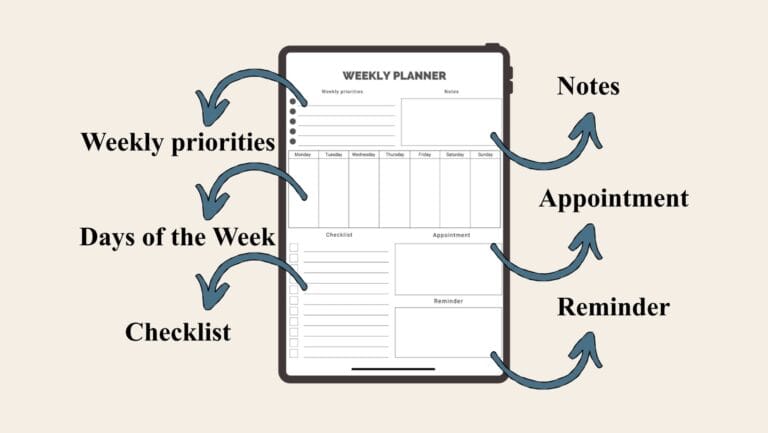
- Weekly To Do List Grid: A complete seven-day layout showing Monday through Sunday with dedicated notes column. Plan your entire week at a glance and see how daily tasks connect to weekly goals and commitments.
- Yearly To Do List by Month: All twelve months displayed on one comprehensive page for tracking long-term projects, seasonal tasks, and annual goals. Perfect for identifying patterns and planning ahead for busy seasons.
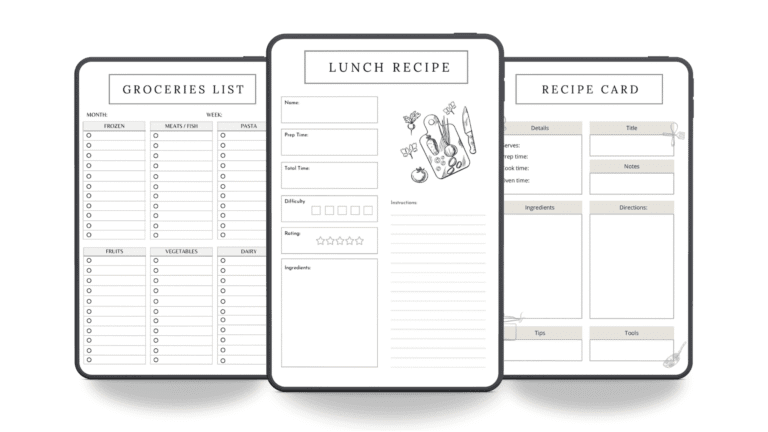
- Grocery List with Categories: Organized sections for produce, meat and fish, bakery items, pantry staples, deli selections, beverages, dairy products, frozen foods, and other items. Reduces shopping trips and prevents forgotten items.
- Multiple Checklist Sections: Four dedicated checklist areas with accompanying notes spaces for project tasks, habit tracking, event planning, or any custom use case you need. Each checklist includes ample notes room for details and reminders.
- Notes Pages: Eight full notes sections throughout the planner provide space for ideas, reflections, important information, or anything that doesn’t fit standard task categories. Keeps all your planning information in one document.
- Clean, Minimalist Design: The layout prioritizes functionality over decoration, making it easy to read, write on, and customize. Works beautifully whether printed in black and white or color.
- 100% Editable PDF Format: Open in any PDF editor to customize fonts, colors, and sections to match your preferences. Add your own headers, adjust spacing, or modify categories without any design skills required.
- Print-Friendly Resolution: High-quality PDF optimized for printing on standard letter-size paper. Creates crisp, professional output whether you print single pages or the complete planner.
- Unlimited Digital Use: Use across iPad with GoodNotes or Notability, Android tablets with Xodo, Windows PC, Mac, or any device with PDF viewing capability. No restrictions on digital or printed usage.
How to Use This Free Planner Step by Step
- Download and Open the PDF: Click the download button to get the free planner instantly with no email signup. Open it in your preferred PDF app—Adobe Acrobat Reader, GoodNotes, Notability, or any standard PDF viewer works perfectly.
- Choose Your Planning Format: Decide whether you’ll print the planner weekly, monthly, or use it entirely digitally on your tablet. You can also print specific sections you use most frequently and keep others digital.
- Fill Your Daily Tasks: Start with today’s date and fill the morning, afternoon, and evening sections with your actual tasks. Be specific with what you need to accomplish rather than vague goals.
- Plan Your Weekly Overview: Look at the seven-day grid and identify recurring commitments, meetings, and deadlines. Add weekly tasks that span multiple days so you see the complete picture.
- Create Your Grocery List: Before your next shopping trip, go through each category and list items you need. This organized approach saves time at the store and prevents impulse purchases.
- Track Progress with Checkmarks: As you complete tasks, check them off in the daily sections. The visual satisfaction of completed items motivates continued progress throughout your day.
- Review Weekly and Adjust: Every Sunday, spend five minutes reviewing your completed tasks and planning the coming week. Adjust your categories or sections if something isn’t working for your lifestyle.
- Use Notes Sections Freely: Capture ideas, important information, or reflections in the notes areas. These become a searchable record of your planning journey over time.
Key Features That Make This Planner Stand Out
What sets this printable to do list apart from generic templates is the intentional structure built on how people actually plan their days. The time-based daily sections—morning, afternoon, evening—acknowledge that your energy, priorities, and available time shift throughout the day. Most planners treat the entire day as one block, but this layout respects your natural rhythms. The weekly grid shows all seven days simultaneously, preventing the tunnel vision that comes from focusing on individual days. You can immediately spot when Monday is overbooked and shift tasks to Wednesday. The yearly overview serves a completely different purpose than daily planning—it’s your strategic view for long-term projects, seasonal work, and annual milestones that need month-by-month tracking. The integrated grocery list isn’t just a bonus feature; it acknowledges that meal planning and shopping are essential tasks that deserve dedicated space in your planning system. The flexible checklist areas adapt to whatever you need—project breakdowns, habit tracking, event planning, or client follow-ups. Unlike rigid templates that force your life into predetermined categories, this planner’s structure is flexible enough to accommodate your unique responsibilities while staying organized enough to actually reduce decision fatigue.
Digital vs Paper Planner Comparison
| Feature | Digital Planner | Paper Planner |
|---|---|---|
| Portability | Accessible on any device anywhere instantly | Requires printing or carrying physical pages |
| Search Function | Find past tasks and notes with keyword search | Manual flipping through pages to locate items |
| Editing Flexibility | Edit, delete, or reorganize tasks without waste | Crossing out or erasing leaves visible marks |
| Writing Experience | Typing or stylus input varies by preference | Pen on paper feels natural and tactile |
| Collaboration | Share digital files with family or team members | Physical sharing or rewriting for others |
Compatible Apps and Devices
This free PDF planner works seamlessly across all your devices and favorite planning apps. On iPad, open it in GoodNotes or Notability to write with your Apple Pencil, add digital stickers, or organize with color-coded sections. Android tablet users can annotate and manage the planner in Xodo, which offers excellent PDF editing and organization tools. For Windows PC and Mac users, Adobe Acrobat Reader provides free PDF viewing with basic markup capabilities, while Noteshelf offers a premium experience for digital writing. iPhone and Android phone users can view and edit the planner using any PDF app, though the smaller screen works better for reviewing rather than detailed writing. You can also print the planner on standard letter-size paper and use it traditionally with pen and paper. Many users print the weekly grid for desk reference while keeping the full planner digital on their tablet. The flexibility means you’re never locked into one format—use whatever combination of digital and printed pages matches your workflow that week. All formats work with PDF Expert for advanced editing, or stick with free apps like Adobe Acrobat Reader for simple viewing and basic annotations.
Why This Planner Is 100% Free Forever
I created this free to do list planner because effective organization shouldn’t require expensive subscriptions or complicated software. Too many planning systems lock essential features behind paywalls or require email signup just to download a template. When I designed this planner for my own use, I realized it solved problems that many other people face—scattered tasks, unclear priorities, and planning tools that don’t match real life. Sharing it freely felt like the right choice. This planner will always be 100% free, no credit card required, no email signup, no upsells. You download it once and use it forever on as many devices as you want. You can print it weekly, modify it to match your needs, share it with family members, or customize it for your specific workflow. The goal behind EasyDigitalDIY is simple: make genuinely helpful planning tools accessible to everyone regardless of budget. Your organization and productivity shouldn’t depend on how much you can spend on apps and subscriptions. A well-designed planner in PDF format works just as effectively as expensive digital tools, and you own it completely.
You might also enjoy pair this with a free daily planner to maximize your productivity
Frequently Asked Questions
No. This free to do list PDF downloads instantly with zero email signup required. Click the download button and the file goes directly to your device. You own it completely and can use it forever without any account creation, subscriptions, or future sales pitches. We believe planning tools should be freely accessible without hidden requirements or data collection.
Absolutely. The PDF is fully editable in any PDF editor like Adobe Acrobat, GoodNotes, or Notability. Change fonts, colors, section headers, or remove categories you don’t need. You can also print blank copies and handwrite your own customizations. The planner is designed to adapt to your workflow, not force you into rigid categories.
Use them as three different planning views that work together. Daily sections organize your immediate tasks by time of day. The weekly grid shows how daily tasks fit into your broader week. The yearly overview tracks long-term projects and seasonal commitments. Review daily for execution, weekly for planning, and monthly for strategic adjustment. This three-level approach prevents both task overwhelm and forgotten long-term goals.
Yes, many users do both. Print the weekly grid for your desk while keeping the full planner on your iPad in GoodNotes or your Android tablet in Xodo. Some people print monthly and use digital for daily updates. The flexibility means you can use whatever combination works best for your lifestyle without being locked into one format.
Definitely. The weekly grid helps you track client deadlines across the week, the yearly overview shows long-term project timelines, and the flexible checklists work perfectly for breaking projects into actionable tasks. The daily sections ensure urgent client work gets prioritized appropriately. Freelancers and project managers use this structure to manage multiple clients simultaneously without dropping tasks.
Advertisement