
📋 Table of Contents
- Who This Free Travel Planner Template Is Perfect For
- What's Included in This FREE PDF Travel Planner Template
- How to Use This Free Travel Planner Template Step by Step
- Key Features That Make This Travel Planner Template Stand Out
- Digital vs Paper Planner Comparison
- Compatible Apps and Devices for Your Travel Planner
- Why This Travel Planner Template Is 100% Free Forever
- Frequently Asked Questions About This Free Travel Planner Template
Free Travel Planner Template PDF – Download Instant Access Now
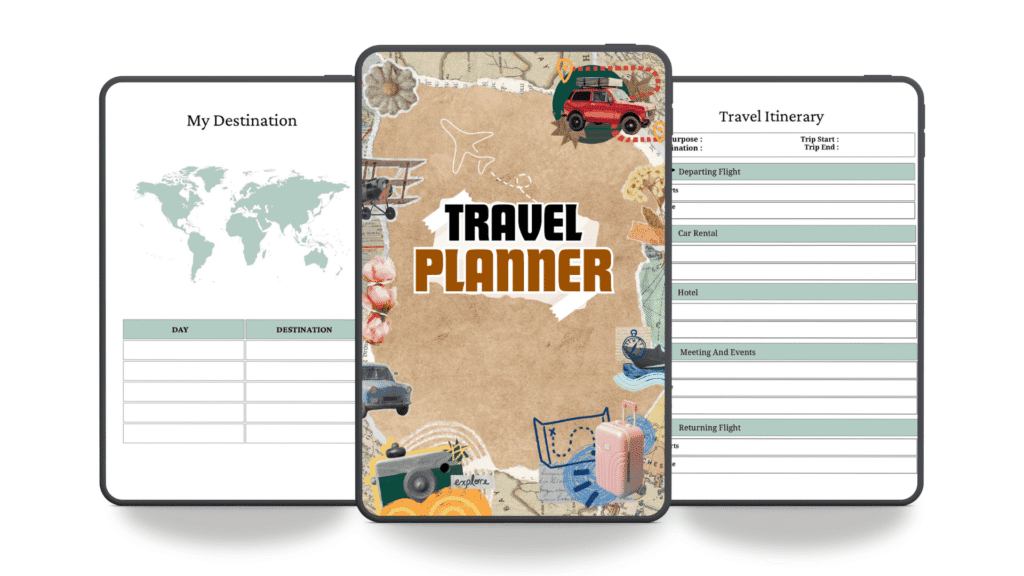
I’m a designer, and I created this Travel Planner Template because I was drowning in scattered information every time I planned a trip. My calendar was in one app, packing lists were on sticky notes, booking confirmations were buried in my email, and activity ideas lived in browser tabs. I realized I needed one comprehensive document that brought everything together in a logical, beautiful format. So I designed each page based on how I actually plan my own travels—not just what looks pretty, but what actually works when you’re juggling flights, accommodations, activities, budgets, and a hundred other details. This free PDF includes an annual 2026 calendar, monthly planning pages, dedicated sections for packing lists, budget tracking, activity planning, grocery lists, and notes pages. Every section is thoughtfully laid out so you can see your entire trip at a glance and manage every detail without switching between multiple apps or notebooks. Whether you’re planning a weekend getaway, a family vacation, or an international adventure, this template handles all the moving pieces in one organized place.
Advertisement
Advertisement
Advertisement
Who This Free Travel Planner Template Is Perfect For
This travel planner template works beautifully for several types of travelers. If you’re a detail-oriented planner who likes to organize every aspect of your trip in advance, this template gives you dedicated space for accommodations, flight details, daily activities, and emergency contacts all in one place. Family vacation planners will appreciate the packing list sections and activity planning pages—perfect for coordinating what everyone needs and what you’ll do each day. Business travelers benefit from the budget tracking and notes sections to manage expenses and keep meeting details organized. Adventure seekers and road trip enthusiasts love having a centralized itinerary that shows the big picture of their journey while maintaining flexibility to add spontaneous stops and activities. Digital nomads and frequent travelers find the reusable 2026 calendar and monthly planning pages essential for managing multiple trips throughout the year without starting from scratch each time. Even first-time international travelers feel more confident with a structured template that ensures they don’t forget important documents, visa information, or travel insurance details.
What's Included in This FREE PDF Travel Planner Template
- 2026 Annual Calendar – A full-year overview showing all 12 months at a glance, perfect for identifying travel windows and coordinating multiple trips. Mark your travel dates, holidays, and important deadlines across the entire year.
- Monthly Planning Pages – Dedicated monthly spreads for January through December with space for notes and to-do lists. Plan each month’s travel preparation tasks, research activities, and coordinate logistics with family members.
- Daily Itinerary Planner – Hour-by-hour breakdown pages for mapping out each day of your trip. Record flight times, hotel check-ins, restaurant reservations, activity start times, and evening plans all in one visible schedule.
- Packing List Sections – Multiple packing checklist pages organized by category (clothing, toiletries, documents, electronics, activities). Never forget essential items again and customize the list based on your destination’s climate and activities.
- Budget Tracker – Comprehensive budget planning pages to estimate and track expenses across categories like flights, accommodation, food, activities, and transportation. Monitor actual spending against your budget as you travel.
- Activity & Attraction Planner – Dedicated pages to research, list, and prioritize attractions, restaurants, museums, and experiences. Keep track of opening hours, entry fees, booking requirements, and reviews for easy reference.
- Accommodation Details Page – Organized space for hotel, Airbnb, or resort information including addresses, phone numbers, check-in times, amenities, and special requests. Keep all booking confirmations and contact details in one place.
- Important Documents Checklist – Reminder section for passports, visas, travel insurance, vaccination records, driver’s licenses, and other critical documents. Verify everything is packed before departure.
- Notes & Miscellaneous Pages – Blank pages for recording travel tips, restaurant recommendations, local insights, emergency contacts, and spontaneous ideas that come up during planning or your trip.
- Grocery & Meal Planning Section – If you’re doing a road trip or staying in a rental, use these pages to plan meals, create shopping lists, and track dietary preferences or restrictions for group travel.
How to Use This Free Travel Planner Template Step by Step
- Download and Open – Download the free PDF instantly with no email required. Open it in your preferred app like GoodNotes, Notability, Xodo, or Adobe Acrobat Reader on your iPad, Android tablet, Mac, Windows PC, or even your phone. The template is fully editable so you can type directly into fields or write by hand if using a stylus.
- Fill in Trip Basics – Start by entering your destination, travel dates, and trip type on the cover page. Write down departure and return dates in the 2026 calendar section so you have a visual reference for your entire trip timeline.
- Plan Your Itinerary – Use the daily itinerary pages to map out each day of your trip hour by hour. Include flight times, airport transfers, hotel check-in times, activities, restaurant reservations, and evening plans. This creates a clear schedule everyone in your group can follow.
- Create Your Packing List – Go through the packing list sections and check off items as you gather them. Customize categories based on your destination’s climate, activities, and duration. This prevents last-minute panic and forgotten essentials.
- Budget Your Trip – Use the budget tracker to estimate costs for flights, accommodation, food, activities, and transportation. As you book things and travel, record actual expenses to stay within your budget and identify where you’re spending the most.
- Research Activities and Attractions – Fill in the activity planner with restaurants, museums, hiking trails, cultural sites, and experiences you want to explore. Note opening hours, entry fees, reservation requirements, and any special tips from travel blogs or reviews.
- Organize Accommodation Details – Record your hotel or rental address, phone number, check-in time, amenities, parking information, and any special requests you’ve made. Keep confirmation numbers and contact information readily accessible.
- Review Before Departure – Use your completed planner as a final checklist before you leave. Verify all documents are packed, flights are confirmed, accommodations are booked, and your itinerary is realistic and flexible enough for unexpected opportunities.
Key Features That Make This Travel Planner Template Stand Out
What sets this travel planner template apart is that it was designed by someone who actually travels and plans trips regularly, not just someone creating a generic template. Every page exists because I discovered I needed it while planning real vacations. The 2026 calendar isn’t just decorative—it’s functional for identifying travel windows and coordinating multiple trips throughout the year. The monthly planning pages include both calendar grids and notes sections, recognizing that travel planning happens months in advance and you need space to brainstorm and track tasks. The daily itinerary pages are structured to show the flow of your entire day, from morning arrival times through evening activities, which helps you understand pacing and identify gaps in your schedule. The packing list goes beyond a simple checklist by organizing items into logical categories, so you can customize it for different trip types and climates. The budget tracker includes both estimated and actual spending columns, which teaches you where your money actually goes on trips. The activity planner has space for notes about opening hours, costs, and reviews, so you’re not hunting through your phone during your trip. The accommodation details page consolidates information that’s usually scattered across confirmation emails and booking apps. This integrated approach means you can print the completed planner, hand it to your travel companions, and everyone has the full picture of your trip without needing access to multiple apps or email accounts.
Digital vs Paper Planner Comparison
| Feature | Digital Planner (This Template) | Paper Planner |
|---|---|---|
| Searchability | Search for specific information instantly across all pages | Must flip through pages to find details |
| Shareability | Email or share file instantly with travel companions | Must print copies or photograph pages for others |
| Editability | Change details easily without crossing out or erasing | Limited to pen and pencil corrections |
| Portability | Carry entire planner on phone, tablet, or laptop | Carry physical notebook or stack of papers |
| Backup | Automatically saved in cloud, never lose your planning | Lost or damaged if notebook is misplaced |
Compatible Apps and Devices for Your Travel Planner
This free travel planner template works seamlessly across all your devices and favorite planning apps. On iPad, use GoodNotes or Notability to write directly on the pages with your Apple Pencil, creating a handwritten planner that syncs across your devices. Android tablet users enjoy the same experience with Noteshelf or Xodo, which offer smooth writing and annotation features. On Windows PC or Mac, open the PDF in Adobe Acrobat Reader or Xodo to type information or make digital notes. iPhone and Android phone users can access the planner on the go, viewing pages to check details while traveling. The PDF format ensures compatibility across all platforms—whether you’re using an iPad Pro, Samsung Galaxy Tab, MacBook, Windows laptop, or smartphone, the template opens and functions perfectly. You can even print sections if you prefer a hybrid approach: print your daily itineraries to carry in your pocket while keeping the full digital version on your tablet for reference. The editable PDF fields work in all major apps, so you’re never locked into a single platform or device ecosystem.
Why This Travel Planner Template Is 100% Free Forever
I created this travel planner template and made it completely free because planning a trip shouldn’t require paying for multiple apps or premium templates. When I was designing my own travel system, I couldn’t find one comprehensive template that handled all the pieces—calendar, packing, budget, itinerary, and notes—in an integrated way. I decided to design one and share it freely with everyone who struggles with the same problem. There’s no hidden cost, no email capture requirement, no upsell to a premium version. You download it once and own it forever. I believe good planning tools should be accessible to everyone, regardless of budget, because organized travel is better travel. By offering this template for free, I’m investing in a community of travelers who can focus on the joy of their trips instead of the stress of coordination. This is part of EasyDigitalDIY’s mission to provide practical, beautifully designed planning tools that actually work in real life, not just in theory.
You might also enjoy Explore our free meal planning template
Related resource: Check out our comprehensive budget planner
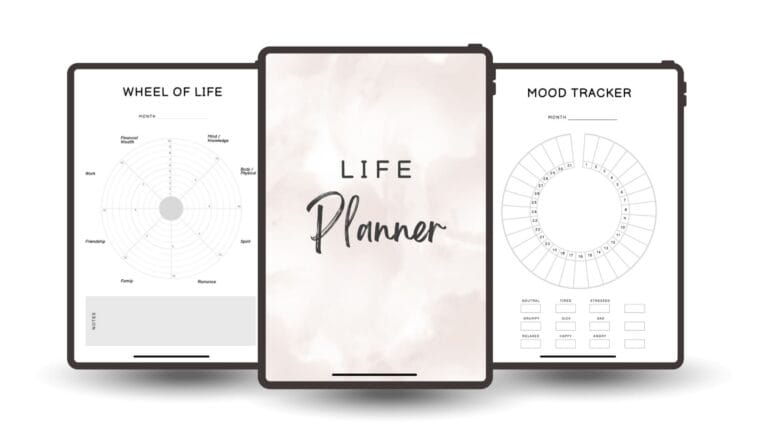
Learn more: Discover our life planner for goal-setting
Frequently Asked Questions About This Free Travel Planner Template
Absolutely! This PDF template is fully editable on iPad using GoodNotes or Notability, and on Android tablets using Noteshelf or Xodo. You can type text into the fields or write directly on the pages using a stylus. Your edits save to the app, and you can sync across devices. If you prefer, you can also print specific pages and write by hand, then photograph or scan them back into your digital files for backup.
No, this travel planner template is completely free to download and use forever. There are no hidden fees, no email requirement, no premium upgrades, and no credit card needed. You get instant access to the full PDF with all sections included. Download it once and use it for unlimited trips throughout 2026 and beyond.
Yes! Since this is a PDF, you can edit it in most PDF apps. You can add your own sections, delete pages you don’t use, duplicate pages for longer trips, or rearrange sections to match your planning style. Some apps like Adobe Acrobat Reader allow you to reorganize pages easily, while others like Notability let you write and annotate freely. Customize it completely to fit your travel planning needs.
Yes, absolutely! You can email the completed PDF to family members or friends traveling with you, or share it through cloud storage like Google Drive or Dropbox. Each person can view the itinerary, packing lists, budget, and activity plans on their own device. This keeps everyone on the same page about flight times, daily activities, and what needs to be packed for your group trip.
This template works perfectly for multiple trips! The 2026 calendar lets you mark all your travel dates at a glance, so you can see when each trip occurs. You can duplicate the daily itinerary and activity planning pages for each trip, or print and fill them out separately for different destinations. Keep all versions in one folder on your device or in cloud storage, organized by trip name or date, so you have a complete record of all your travels.

Advertisement